
How to File a DataQ: Step-by-Step Guide to Challenging FMCSA Inspections and Crashes
By Brett Dykes · 9 min read
You get the inspection report back and something isn’t right. A violation that wasn’t there. A crash where you were rear-ended at a red light. An inspection tied to the wrong USDOT number. Left alone, that record sits on your FMCSA safety profile for up to two years and follows you every time a broker, a shipper or an insurance company pulls your numbers.
The fix is a DataQ. This guide covers how to file a DataQ step by step, what evidence actually works, how FMCSA’s 2026 changes speed up the review, and why Marquee Insurance Group doesn’t file DataQs for clients (and why it’s better coming from you).
Key Takeaways
✓DataQs is free. It’s FMCSA’s online system for challenging federal and state safety data: inspections, violations, crashes and registration info.
✓You carry the burden of proof. Requests without documents rarely get corrected.
✓2026 brought real deadlines. States now have 7 days to open your request and 21 days to decide, with two levels of appeal after that.
✓Crashes have their own path. The Crash Preventability Determination Program reviews 21 crash types where the other party was clearly at fault.
✓MIG doesn’t file DataQs. The request should come from the carrier or driver who has the facts.
01
What Is a DataQ?
DataQs is FMCSA’s online system for filing a Request for Data Review, usually called an RDR, or just “a DataQ.” You file it at dataqs.fmcsa.dot.gov, and FMCSA routes it to whoever owns the record. For a roadside inspection, that’s usually the state agency whose officer did the inspection.
Requests fall into four groups:
- Crash, inspection, investigation and audit data: wrong details, duplicate records, violations you dispute, crashes reported against the wrong carrier.
- Registration, licensing and insurance data: MCS-150 info, operating authority and insurance records that didn’t update correctly.
- Household goods complaints you believe are fraudulent or duplicated.
- Drug and Alcohol Clearinghouse petitions challenging the accuracy of a reported violation.
What DataQs can’t do: it can’t remove a violation that was correctly written, and it can’t review a state warning, since warnings aren’t part of FMCSA’s records.
02
Why a Bad Record Is Worth Challenging
Inspections and crashes feed FMCSA’s Safety Measurement System (SMS), which scores carriers in the CSA BASICs using the last 24 months of data. Those scores can flag you for warning letters and investigations. Drivers carry the same history on their Pre-Employment Screening Program (PSP) report: three years of inspections and five years of crashes.
Brokers and shippers look at that data before they tender freight. Insurance companies look at it too, along with your loss runs, when they quote and renew. A violation that never should have been there can cost you loads, and it can make quoting harder. That’s reason enough to clean up anything that’s genuinely wrong.
03
What Changed With DataQs in 2026
For years the biggest complaint about DataQs was that the officer who wrote the violation often decided the challenge, and requests could sit for months. FMCSA published new DataQs requirements for states on April 16, 2026, tied to their federal MCSAP safety funding. The new system went live in September, and in October FMCSA announced that every state, D.C. and the U.S. territories now meet the requirements.
7 · 21 · 45 DAYS
The new review clock. States must open your request in 7 days, make an initial decision in 21, and finish a final review within 45 days of your escalation.
| Stage | Who reviews it | Deadline |
|---|---|---|
| Initial Review | The state reviews your request. The officer who wrote the violation can’t deny it alone. | Opened within 7 days, decided within 21 |
| Reconsideration | Independent subject matter experts who weren’t part of the first decision. | Ask within 30 days; decided within 21 |
| Final Review | A senior decision-maker or an independent panel. | Ask within 30 days; decided within 45 |
- States must explain denials, including the evidence they reviewed and your next steps.
- If the state asks you for more information, you have 14 days to respond. Their clock pauses while they wait.
- States must accept requests filed within 3 years of an inspection and 5 years of a crash.
Motus note: FMCSA’s new registration system, Motus, went live May 14, 2026, replacing the old FMCSA Portal and other legacy systems, with sign-in through Login.gov. If your company’s DataQs access won’t connect to your USDOT record, make sure your company official has claimed your USDOT number in Motus and that the Login.gov email matches. If it still won’t connect, contact FMCSA support.
Shopping your trucking insurance? Work with an agency that does nothing but trucking.
04
Before You File: Get Your Facts Straight
Most denied DataQs fail before they’re even submitted. Run through this first:
✓Pull the exact record. Find the inspection or crash in your SMS profile or on the inspection report itself. Write down the report number, date and state.
✓Make sure it’s actually wrong. Wrong unit, wrong DOT number, wrong driver, a violation that doesn’t match what happened, or a duplicate. Disagreeing with a correctly written violation isn’t a DataQ.
✓Check for a court case. If the violation came with a citation, wait for the court’s decision. A dismissal or a conviction on a lesser charge is some of the strongest evidence you can attach.
✓Gather documents now. ELD records, DVIRs, timestamped photos, dashcam video, repair invoices, weight tickets, bills of lading, lease agreements and the police report for crashes.
✓Coordinate with your driver. Drivers can file their own DataQ. Agree on who files so the state doesn’t get two versions of the same story.
05
How to File a DataQ, Step by Step
Create your DataQs account
Go to DataQs and register. Drivers and public users sign in with Login.gov. Motor carriers need a company account with DataQs access approved by a company official. Use one account per company so every request lives in one place.
Start a new request and pick the right category
Choose the request type that matches your problem: an inspection or violation, a crash, registration data, and so on. The wrong category gets your request rerouted and slows it down.
Identify the record
Enter the report number, state and date so the request attaches to the right inspection or crash. Double-check it. A request against the wrong record wastes time you don’t get back.
Write a short, factual explanation
Say what’s wrong, what it should say instead, and what proves it. Cite the regulation if a violation was miscoded. Leave out frustration and accusations. Reviewers respond to facts.
Example: “Inspection GA1234567890 on 08/12/2026 lists a 393.47 brake violation on unit 14. Unit 14 was in our shop that day (repair order #5521 attached). The inspected tractor was unit 41, VIN ending 7782, which had no brake defect per the attached DVIR. Please correct the unit and VIN and remove the violation from our record.”
Attach your evidence
Upload every document that supports your explanation, and give each file a clear name like Court_Dismissal_Citation_4471.pdf. FMCSA’s rules put the burden of proof on the person filing, and states can reject requests that come with no factual or legal support.
Submit and watch your email
You’ll get a request number. Save it. If the state asks for more information, you have 14 days to respond, so check your DataQs messages and spam folder.
Appeal if you disagree
If the decision doesn’t fix the problem, you have 30 days to ask for Reconsideration by independent reviewers, then 30 days after that to ask for a Final Review. Respond directly to the reasons the state gave for denying it.
Confirm the fix
SMS updates once a month, so a granted request may take a few weeks to show. Check your profile after the next update and follow up if it hasn’t changed.
06
Crashes You Didn’t Cause: The Crash Preventability Program
FMCSA’s Crash Preventability Determination Program (CPDP) is filed through DataQs too, but it works differently. It reviews 21 crash types where the other party was clearly at fault, including:
- Being rear-ended, or struck while legally stopped or parked
- Being hit by a wrong-way, impaired, distracted or sleeping driver
- Hitting an animal, or being struck by debris or falling cargo
- Any other crash where video clearly shows the sequence of events
You’ll need the police accident report, and FMCSA can’t review crashes older than five years. If the crash is found Not Preventable, it moves to a separate “Reviewed – Not Preventable” table, it’s left out of your Crash Indicator BASIC, and the result is noted on the driver’s PSP report. Answer any FMCSA request for more information within 14 days, or the crash may come back “Undecided.”
07
Tips and Tricks That Help a DataQ Get Approved
- Lead with documents, not opinions. A timestamped photo beats a paragraph of explanation.
- One clear ask. Tell the reviewer exactly what you want changed: remove the violation, correct the unit or VIN, or reassign the crash to the right carrier.
- Time it right. Wait for the police report on a crash and the court decision on a citation, but don’t sit on clerical errors. They’re the easiest fixes.
- Stay professional. The review is now independent, but a calm request is still easier to approve.
- Keep a log. Track each request number, filing date and decision date. If a state blows its deadline, you’ll have it documented.
- Skip the weak ones. Filing on violations you know were correct can hurt your credibility on the requests that matter.
- It’s free. FMCSA doesn’t charge to file. Some carriers hire a compliance service or attorney for complicated cases, and that’s your call.
Questions about how your safety record plays into quoting? Talk to a trucking specialist.
08
Why MIG Doesn’t File DataQs for Clients
We get this question a lot. FMCSA does allow third parties to register for DataQs, so this isn’t a federal rule. It’s our policy, and here’s why it protects you:
- It’s your record. The request is about your USDOT number and your driver, and the state follows up with the person who filed it.
- You have the evidence. ELD data, DVIRs, dashcam video, court paperwork and repair records live with you, not with your insurance agency.
- You carry the burden of proof. When a reviewer has questions, you have 14 days to answer them, and the answers have to come from someone who knows what happened that day.
- We weren’t there. As your insurance agency, we can’t vouch for facts about an inspection or crash we didn’t see.
What MIG does focus on is your insurance program. Our Operations team handles post-bind work like endorsements, driver reviews, coverage reviews and certificates, and our Renewal Team works your renewal. If you’re not sure where a record came from, start with your SMS profile and the inspection report.
09
More Resources for Carriers
- MIG Resources: guides for trucking businesses
- How to read a trucking insurance policy
- Why you need currently valued loss runs every year
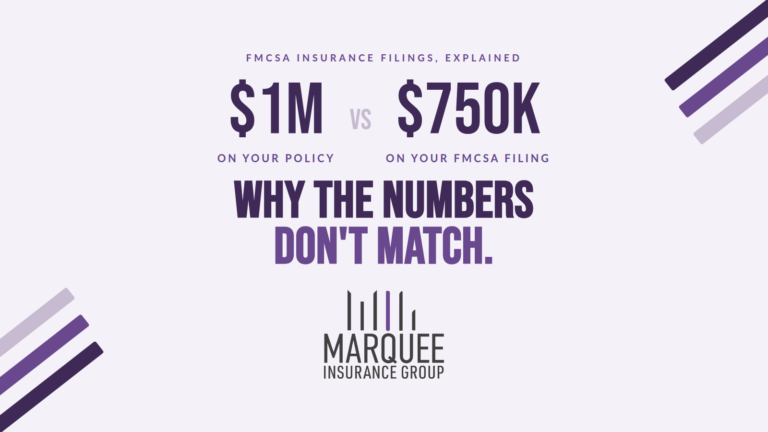
- Why your FMCSA filing shows $750K when your policy says $1M
- Starting a trucking company? Get our New Authority Guide
- Trucking expense calculator
- FMCSA DataQs Help Center
FAQ
Frequently Asked Questions
What is a DataQ?
A DataQ is a Request for Data Review filed through FMCSA’s free DataQs system. Motor carriers and drivers use it to challenge inspection, violation, crash and registration data they believe is wrong. The request goes to the state or FMCSA office that owns the record, and the person filing carries the burden of proof.
How long does a DataQ take in 2026?
Under FMCSA’s 2026 DataQs requirements, states must open a request within 7 days and issue an initial decision within 21 days. If you disagree, you have 30 days to ask for reconsideration (decided within 21 days) and then a final review (decided within 45 days). The state’s clock pauses while it waits on information it asked you for.
Can my insurance agent file a DataQ for me?
FMCSA lets third parties register for DataQs, but Marquee Insurance Group does not file DataQs on behalf of clients. The carrier or driver holds the evidence, answers the state’s follow-up questions and carries the burden of proof, so the request should come from you or a compliance professional you hire.
Does a DataQ remove a crash from my record?
Not exactly. If a crash qualifies for FMCSA’s Crash Preventability Determination Program and is found Not Preventable, it stays on your record but moves to a separate table and is excluded from your Crash Indicator BASIC. A crash reported with the wrong carrier, date or details can be corrected through a regular DataQ.
Trucking insurance, from people who do nothing but trucking.
Get a quote online or talk to a MIG specialist about your operation.
GET A FREE QUOTECALL (833) RING-MIG
Our team is available Monday through Friday, 8 a.m. to 5 p.m. ET, during normal business hours. We’re happy to help.
This article is for general information only and isn’t legal or compliance advice. DataQs procedures and deadlines are set by FMCSA and the states and can change. Always confirm current requirements at the FMCSA DataQs Help Center.
Sources: FMCSA DataQs Help Center FAQs; FMCSA, “Revisions to DataQs Requirements for MCSAP Grant Funding,” Federal Register, April 16, 2026; FMCSA Crash Preventability Determination Program fact sheet; FMCSA Safety Measurement System.